Instructions
Build the asset register
This guide shows you how to fill the register: what to let the integrations do, what you have to type, and which fields decide how everything else treats each record.
Before you start
- You need Write on the CMDB module, which means Analyst or above.
- Connect your integrations first if you have any. Typing in a server that Intune already knows about is work you will do twice and maintain twice.
- Decide who owns what before you start. Owner is the field an audit asks about first and the hardest one to fill in afterwards.
Open CMDB
One register holds every type: ICT systems and equipment, information, suppliers, people, facilities and the services they support. The tabs across the top are filters over that one register, not separate lists, so a supplier and a server can be linked to the same risk.
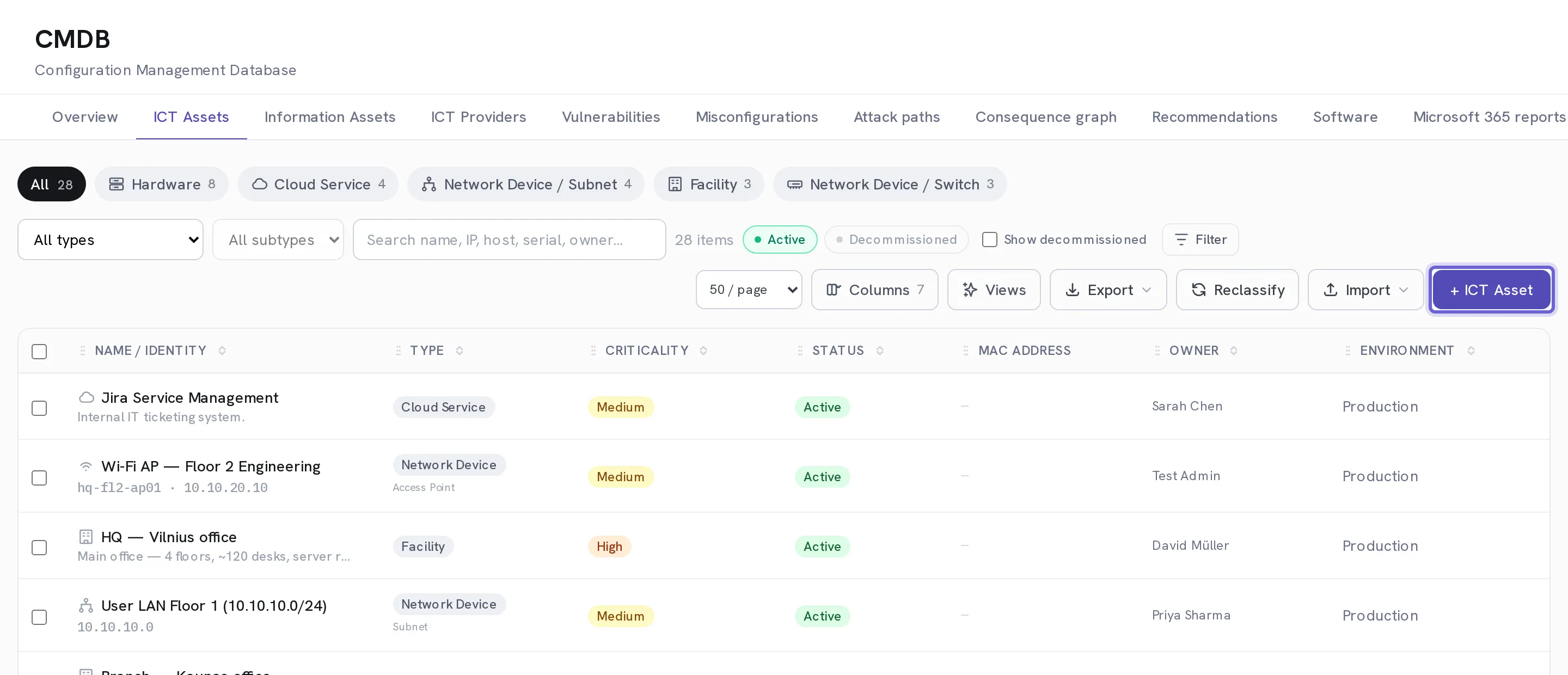
Let the connected systems fill it first
Anything Intune, Defender, Entra, Azure, AWS, an agent or a network sweep can see arrives on its own, stamped with its source and the time it landed. A machine seen by four of them is one record here, not four rows to reconcile.
Select + Add ICT Asset for what no system can see
Paper records, premises, suppliers, people, and the server in the cupboard that nothing scans. Same form, same register, same linking.
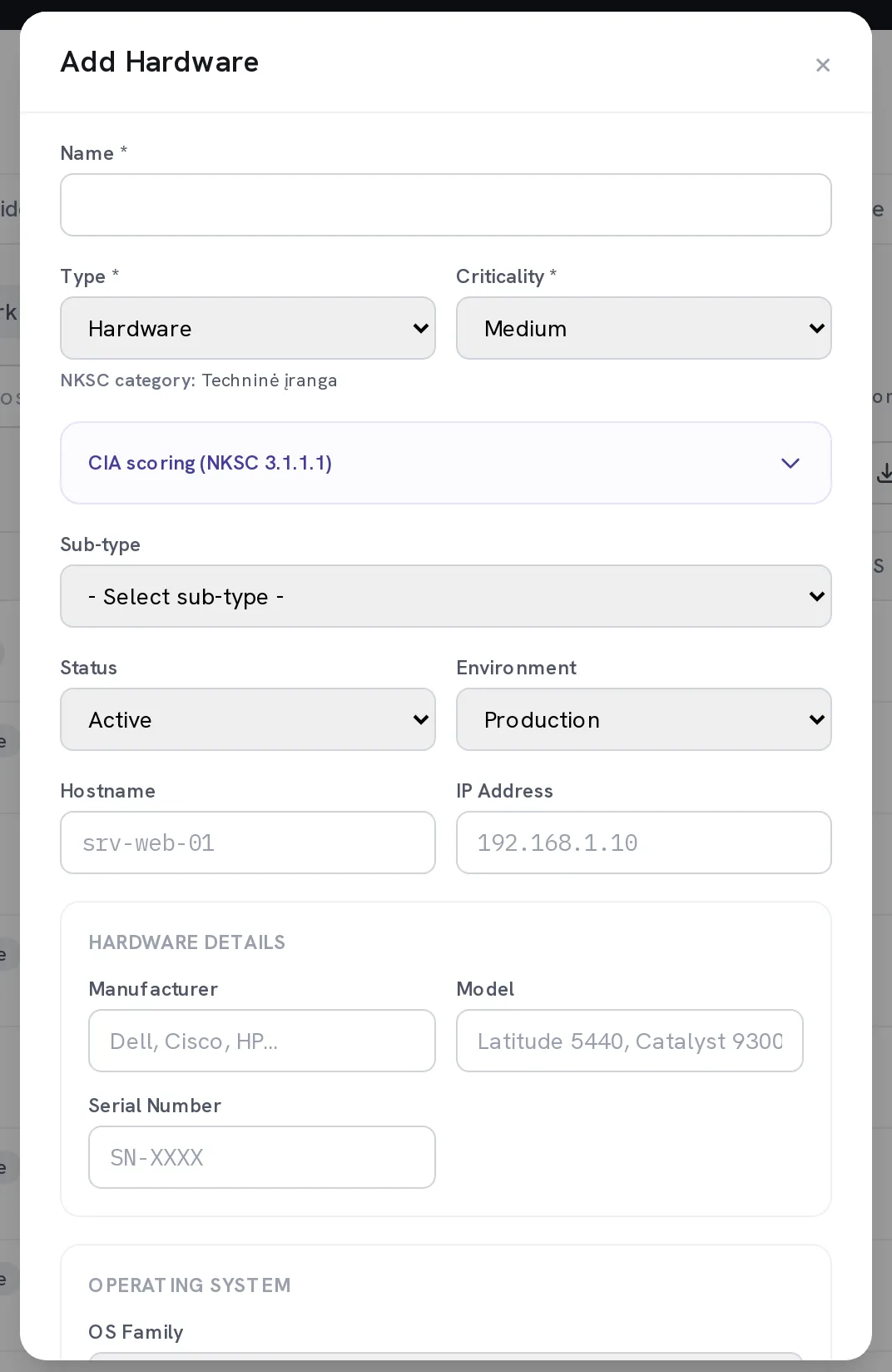
Enter Name, Type and Criticality
These three are required and the rest of the form follows from Type: choose Hardware and you get serial number, OS and patch state, choose Facility and you do not. Criticality is what NIS2 scope, report weighting and the topology map all read.
Set the Owner and decide In NIS2 scope
The owner is a person in your organisation, searched by name or email, and is who the system chases when something about this asset needs a decision. In NIS2 scope is what pulls the asset into the regulatory reports.
Score Confidentiality, Integrity and Availability
One to five on each axis, under CIA scoring (NKSC 3.1.1.1). This is not paperwork for its own sake: a risk you later link to this asset takes max(C, I, A) as its suggested inherent impact. Score the asset once and you stop arguing about impact on every risk that touches it.
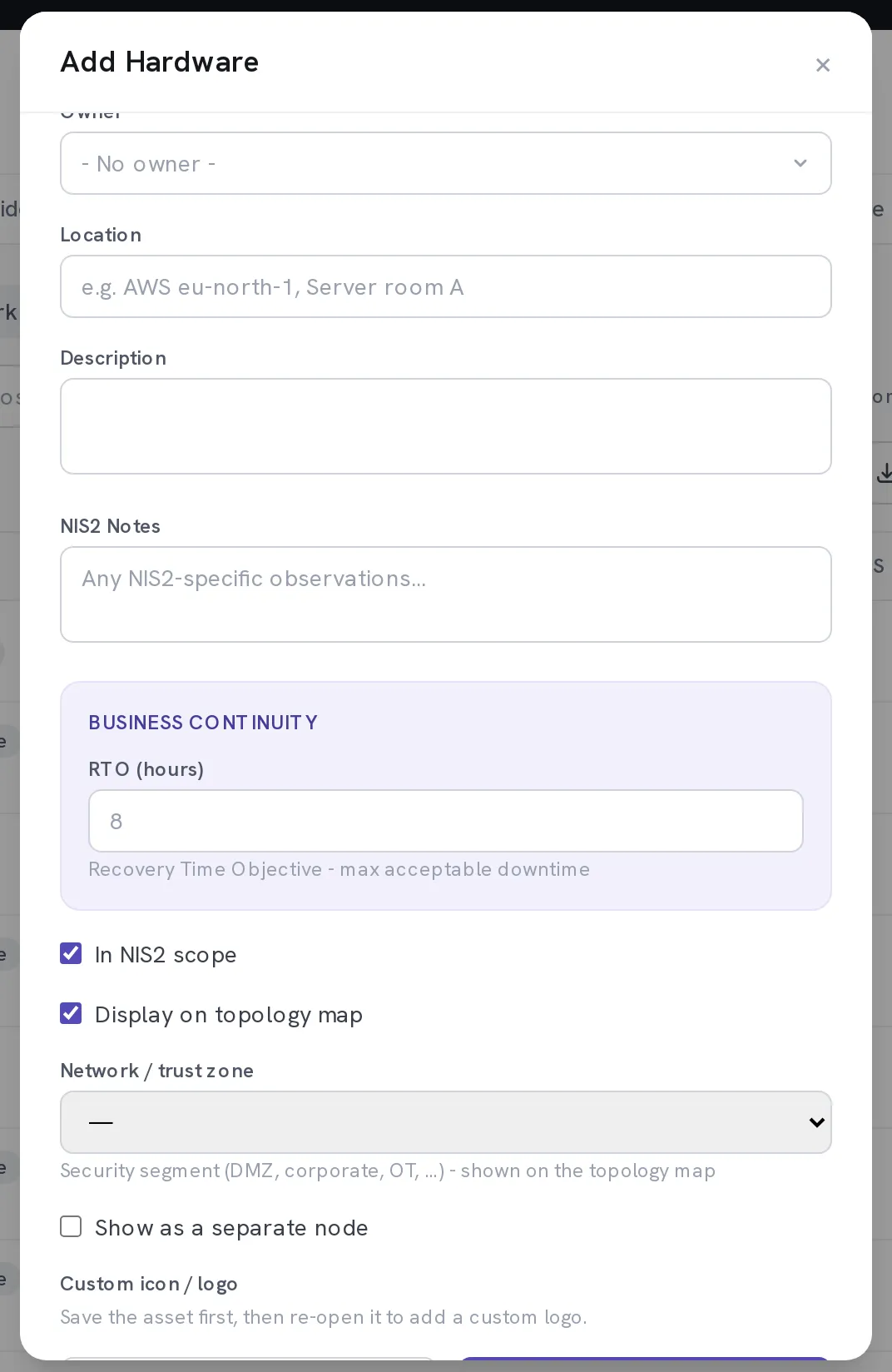
Optional. Set RPO (hours) and RTO (hours) where you know them
How much data you can afford to lose, and how long you can afford to be without it. Both feed continuity planning and both are questions an auditor asks about critical assets.
Optional. Use Risk-tolerance override for an asset that deserves a tighter ceiling
By default an asset inherits the tenant-wide risk appetite. Override it here and risks linked to this asset are flagged against the tighter number instead.
Check Duplicates after the first big sync
Two systems naming the same machine differently is normal, not a fault. The duplicates view proposes merges and shows you what each source contributed, so you approve a merge rather than discovering one.
Keep it current without touching it
Once an integration is on a schedule, the synced fields look after themselves, and the decisions you made stay yours: owner, criticality, classification and scope survive every later pull. The identifying fields are a different matter. An Azure, AWS, Google Cloud or Active Directory sync rewrites the asset Name from the source on every run, so rename one of those in the source system rather than here.
When it worked
The asset appears in CMDB with an owner, a criticality and a source. Open it and the detail panel shows which systems have seen it and when each last reported.
If it does not work
- An asset you expected from a sync is not there.
- Open Settings → Integrations and read Data pulled for that provider. A zero count means the pull returned nothing, which is a permission problem rather than a CMDB one.
- The form will not save.
- Name, Type and Criticality are required and marked with an asterisk. Everything else can wait.
- A field you fixed by hand went back to the old value.
- If it was the Name of an asset from Azure, AWS, Google Cloud or Active Directory, that is the sync doing its job: it takes the name from the source every run. Rename it there. Owner, criticality, classification and scope are never touched, so if one of those reverted you are looking at two records rather than one. Check CMDB → Duplicates.
- You cannot see the + Add ICT Asset button.
- You have read access but not write. Ask an administrator for Write on the CMDB module under Settings → Users.
An asset register that only contains what you already knew about is a list. The point of the sweep and the agent is the things nobody remembered, which is also what an auditor goes looking for.