Instructions
Log a risk and plan its treatment
This guide shows you how to log one risk correctly, in the order the form actually wants.
Before you start
- You need Write on the Risks module, which means Analyst or above.
- A methodology must be set active on Risks → Methodology. It defines the matrix every score is read against.
- At least one vulnerability must be applied on Risks → Vulnerabilities. The picker in the risk form offers only applied ones, so on a new tenant it is empty until you do this.
- The assets the risk affects should already exist in CMDB.
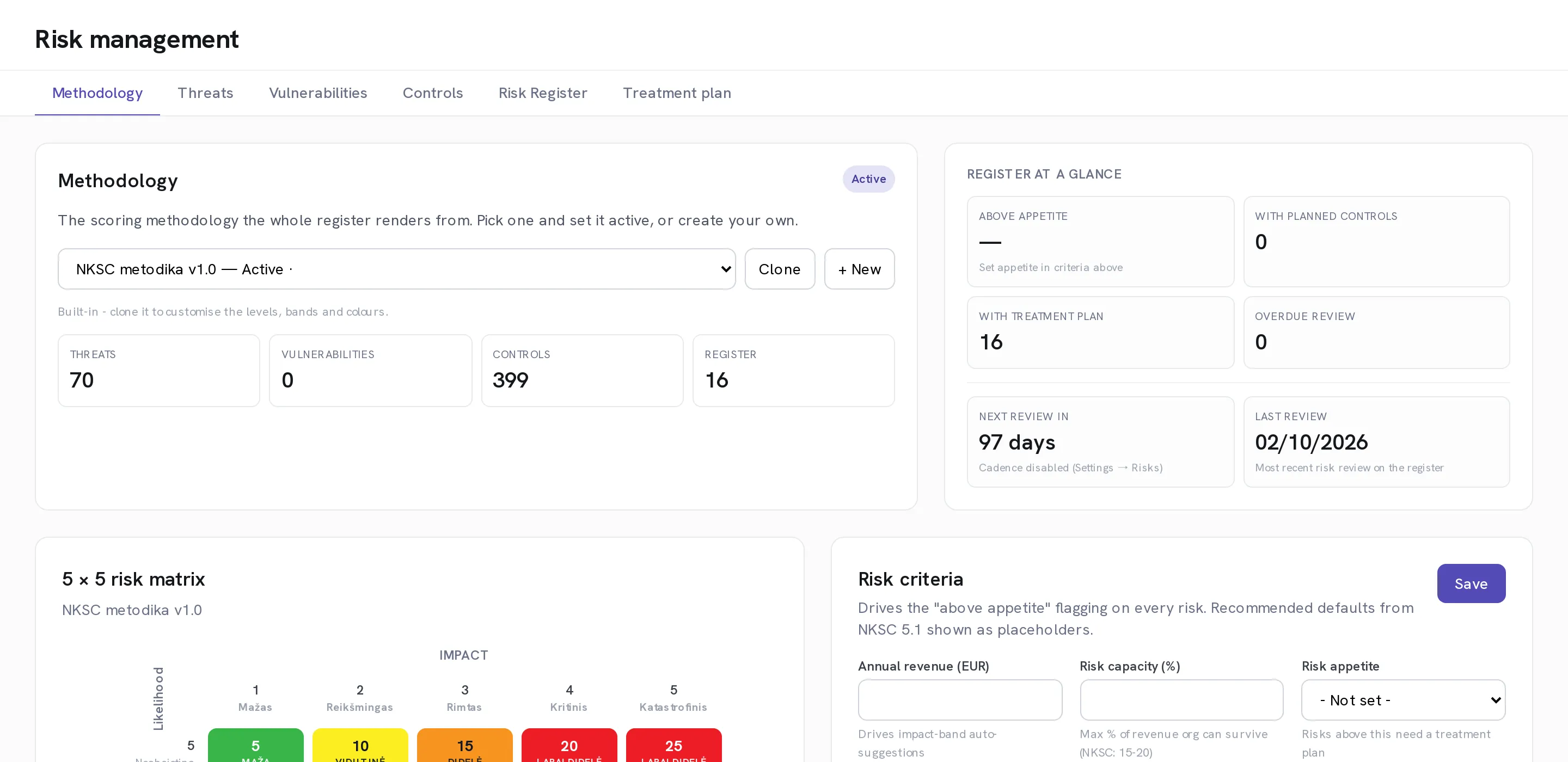
Check which methodology is active
Open Risks → Methodology. The active one sets the matrix, the bands and the appetite thresholds that every risk on the register is scored against. The built-in NKSC methodology cannot be edited in place; select Clone to make a version you can change.
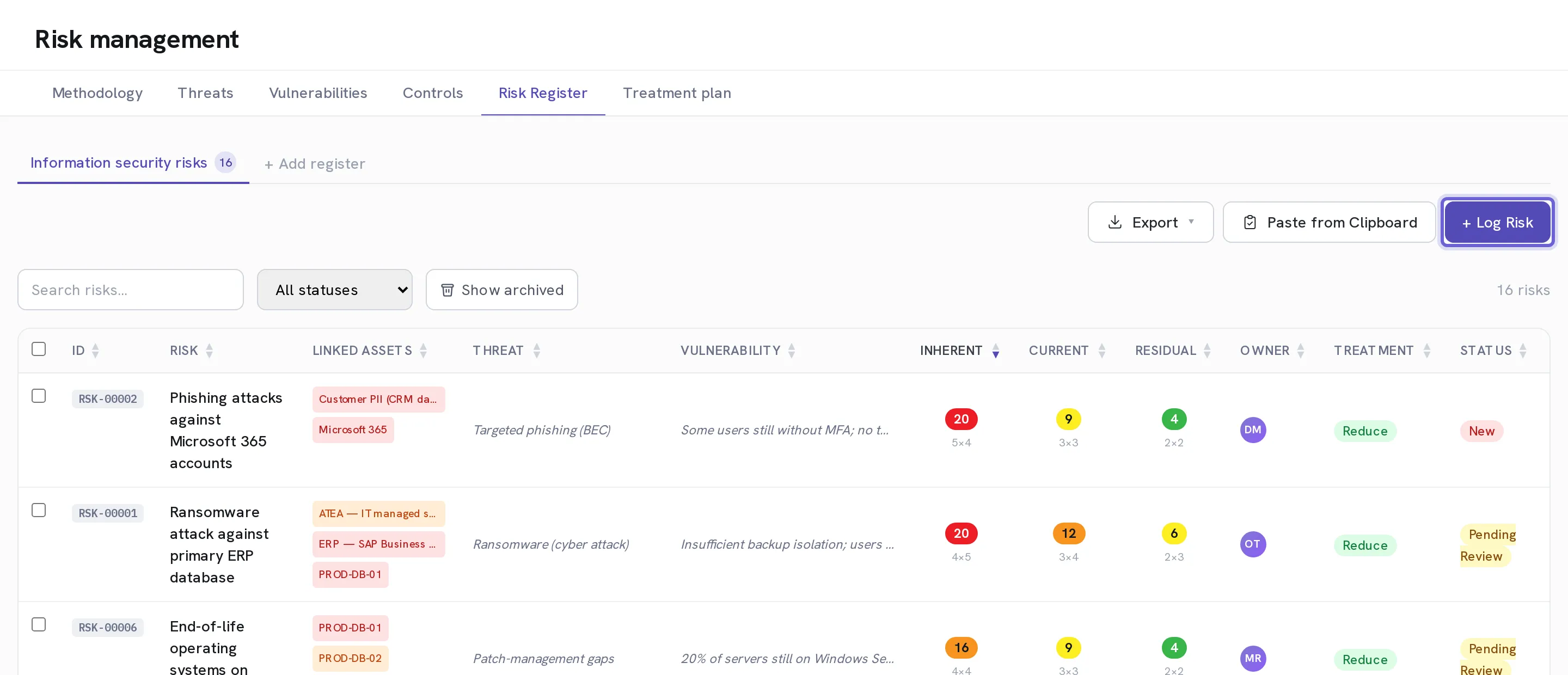
Open Risks → Risk Register and select + Log Risk
If you keep more than one register, choose the right one first.
Enter a Title and Description
Describe the risk as a sentence somebody else would recognise, not a category.
Scroll to the bottom and link the assets first
Linked Systems / Assets is the last field in the form, but fill it before the fields above it. Linking assets narrows the Threat list to the categories those assets belong to, and unlocks an impact suggestion based on the highest confidentiality, integrity and availability score across them. Done in the other order you lose both.
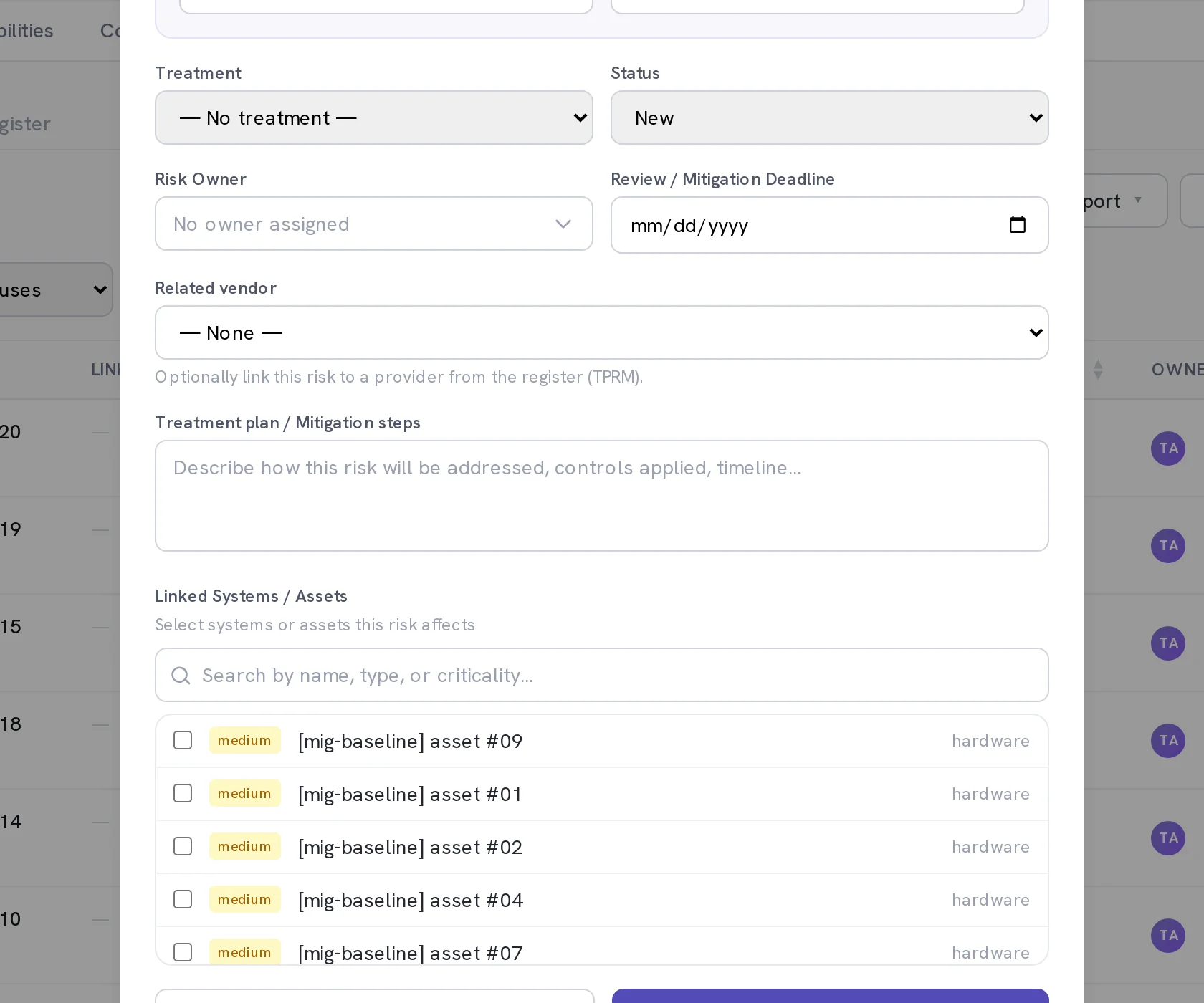
Scroll back up and choose a Threat and a Vulnerability
The threat list is now narrowed by what you linked; select Show all if the one you want is not there. If the vulnerability list is empty, nothing has been applied yet: go to Risks → Vulnerabilities and use + Add from catalog.
Set the inherent score
Likelihood (1-5) and Impact (1-5) describe the risk with no controls at all. This is the starting point, not today's position.
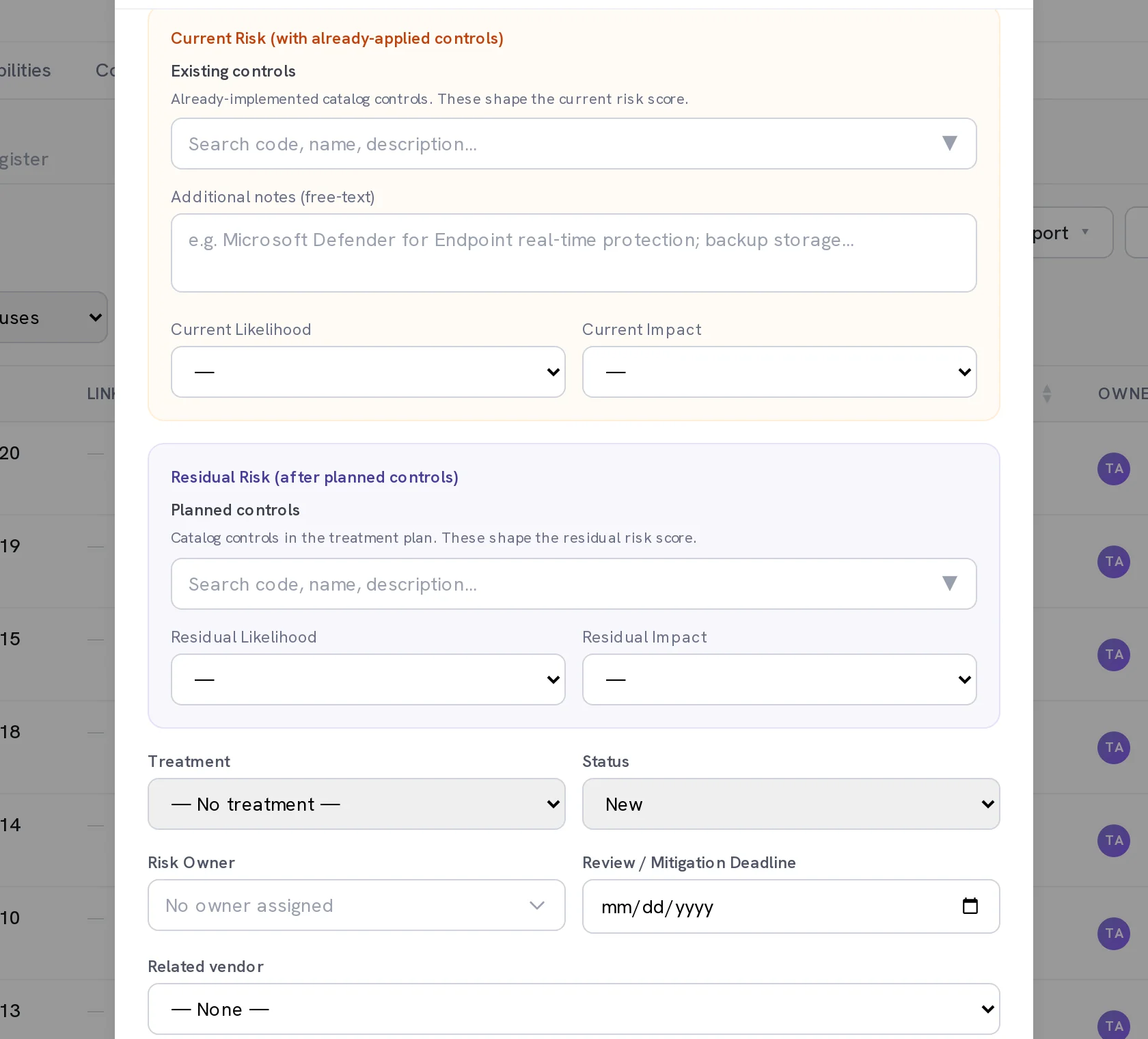
Record what you already have in place
Under Current Risk (with already-applied controls), pick the Existing controls that are genuinely live today, then set Current Likelihood and Current Impact. This is what the risk scores right now, and it is the score most registers get wrong by leaving out.
Record what you intend to add
Under Residual Risk (after planned controls), pick the Planned controls and set Residual Likelihood and Residual Impact. This is what the risk will score once the treatment plan is done.
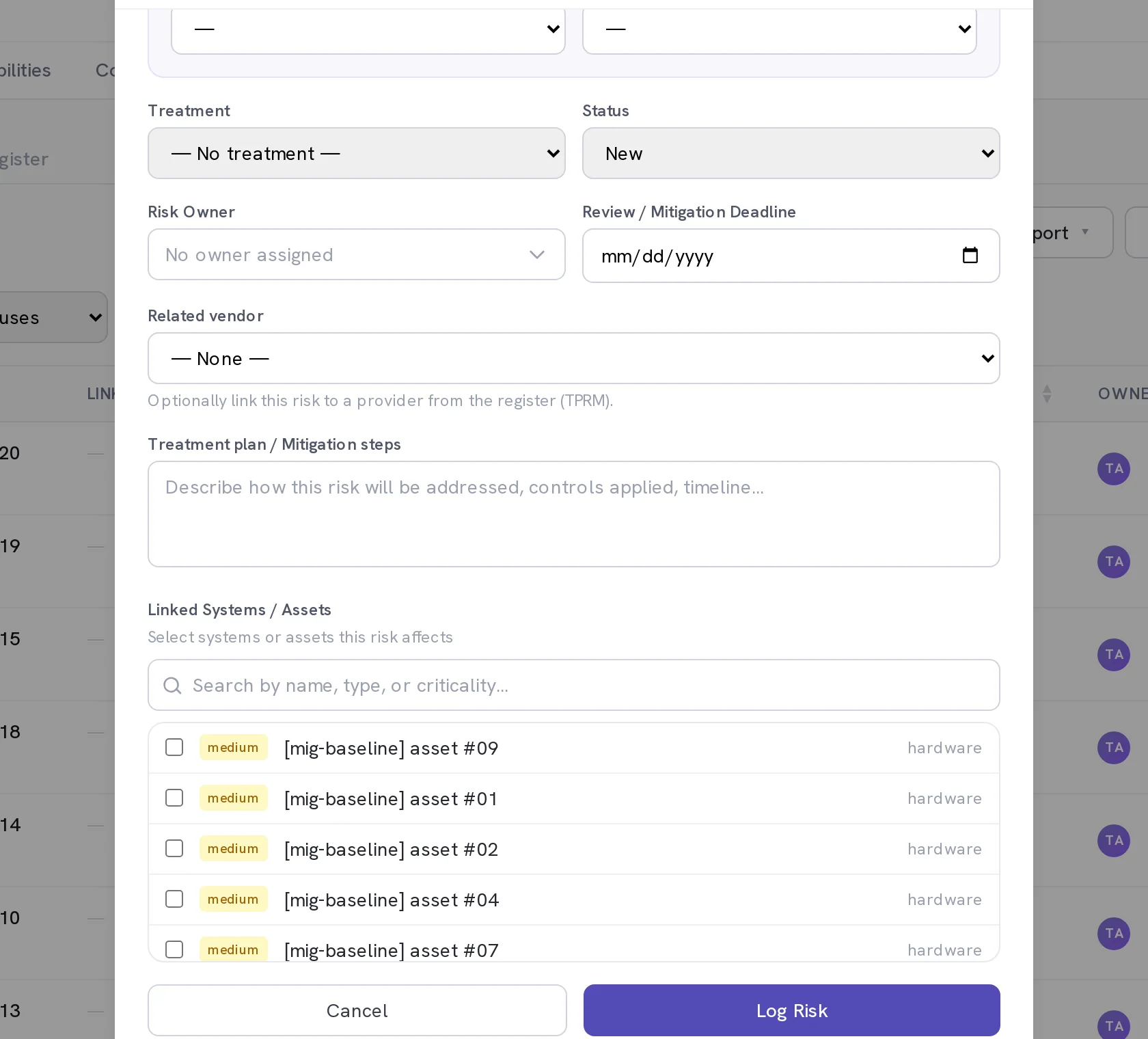
Set Treatment, Status, Risk Owner and Review / Mitigation Deadline
Treatment is Reduce, Accept, Transfer, Avoid or Close. A risk with no named owner is a risk nobody is working on, and the register will keep saying so.
Optional. Link a Related vendor
Ties the risk to a supplier in the vendor register, so it shows up in that vendor's review.
Write the Treatment plan / Mitigation steps, then select Log Risk
The plan is what somebody picks up later; the scores are only the summary of it.
When it worked
The risk appears on the register with an identifier like RSK-00021 and three populated score columns: Inherent, Current and Residual. Open Risks → Treatment plan to add the deadline, budget and resources against it.
If it does not work
- The Vulnerability list is empty.
- Only vulnerabilities applied to your organisation are offered. Go to Risks → Vulnerabilities, select + Add from catalog, and apply the ones that genuinely affect you.
- A threat you expected is not in the list.
- The list is narrowed by the assets you linked. Select Show all to see the whole catalogue.
- Saving fails with a message about the risk being accepted.
- A formally accepted risk is locked. Close the dialog and select Reopen beside the ACCEPTED marker in the sidebar before editing it.
- The register shows a dash instead of an above-appetite flag.
- No risk appetite is set. Open Risks → Methodology and fill in the risk criteria.
Three scores, not two. Inherent is before any controls, Current is with what you have today, Residual is after the plan lands. Comparing them is how you show that controls actually moved something.