Instructions
Register a policy or procedure
This guide shows you how to register a document so it has an owner, a review cycle and a demonstrable link to the controls it is supposed to satisfy.
Before you start
- You need Write on the Documents module, which means Analyst or above.
- Have the file. The register works without one, but a policy nobody can open is not evidence.
- Know the review cycle you are committing to. A yearly review that nobody scheduled is the single most common finding against an ISMS.
Open Documents
The register lists every policy, procedure, standard, guideline, record and plan with its Type, Status, Owner, Next review and how many Controls it is linked to.
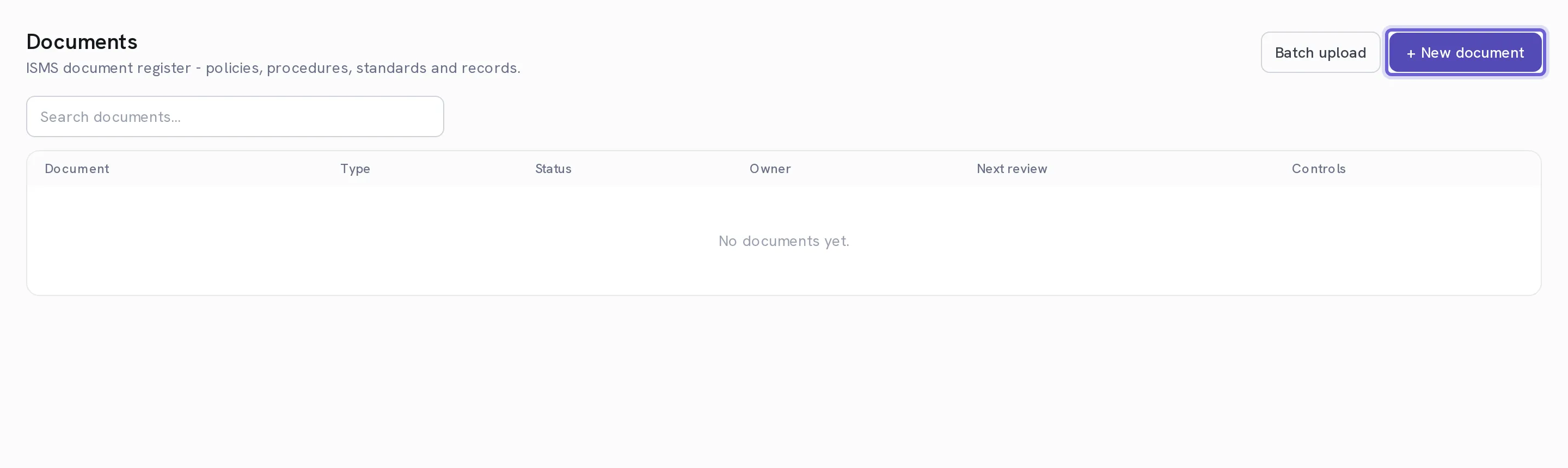
Select + New document
A panel opens from the right.
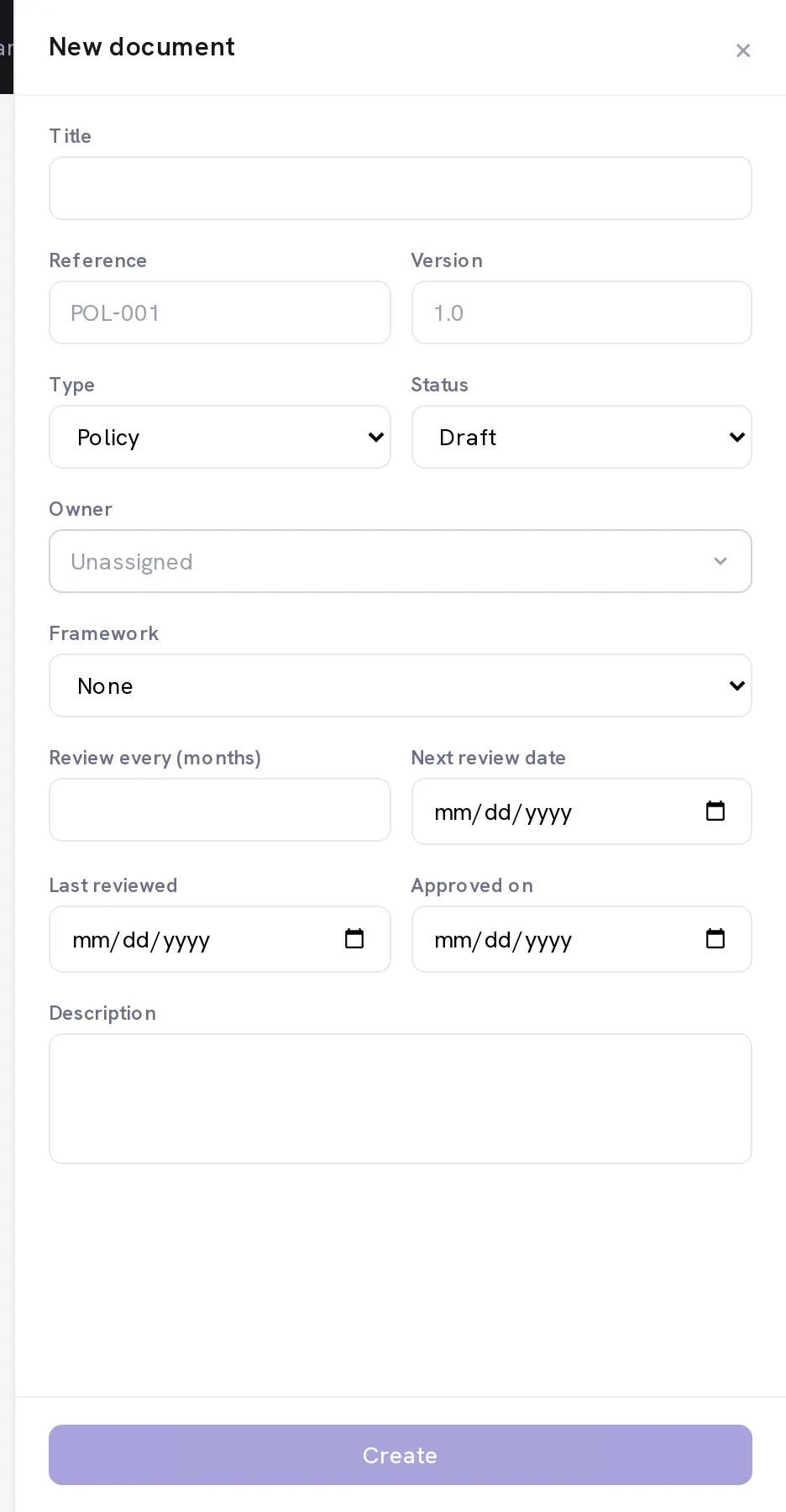
Enter the Title, Reference and Version
The reference is your own numbering: ISMS-POL-01, or whatever your document control scheme uses. Version is free text, so it follows your scheme rather than imposing one.
Pick the Type and the Status
Policy, Procedure, Standard, Guideline, Record, Plan or Other. Status runs Draft → In review → Approved → Retired, and the register shows it, so a document being approved is visible rather than being an email thread.
Set the Owner
The person accountable for the content, who is also who the review reminder goes to.
Set Review every (months) and the Next review date
This is the field that makes the register worth keeping. The cadence drives the next date, and the next date is what turns up in the register and in the reminders. Twelve months for most policies, shorter for anything that tracks a changing system.
Select Create, then upload the file
Upload a file attaches the document itself; Replace file supersedes it later without losing the record or its links.
Link the controls it satisfies
Satisfies controls on the document is the other half of Link evidence on a control. Linking here means that when an auditor asks what covers a requirement, the answer is a live link to the current version rather than a copy somebody exported.
Optional. Let the assistant propose the links
AI: suggest controls reads the document and proposes the controls it appears to satisfy, each of which you Confirm or Dismiss. Nothing is linked without your confirmation, and it only works if your organisation has configured a model provider under Settings → Integrations → AI.
Optional. Load an existing library with Batch upload
Several files at once, each becoming its own document. A zip is expanded in your browser and every file inside becomes a document, which is the quickest way to get an existing ISMS folder into the register before tidying the metadata.
When it worked
The document is in the register with an owner, a version, a status and a next review date, and the controls it is linked to show it under their own evidence.
If it does not work
- The review reminder never arrived.
- Next review date is empty, or the document has no owner. Both are needed: the date decides when, the owner decides who.
- AI: suggest controls says it is not configured.
- The AI assistant is off by default and your organisation chooses its own provider. An administrator sets it up under Settings → Integrations → AI, and nothing is processed through a provider you have not configured.
- A control still shows no evidence although the document is linked.
- The link is per control. Linking a policy to clause 5.1 does not link it to 5.2, deliberately. Otherwise one document would appear to satisfy an entire standard.
- The batch upload skipped files.
- The count of skipped files is shown beside the count created. Files that are not a supported document type are skipped rather than imported broken.
Retire rather than delete. A superseded policy is the evidence that you were compliant last year, and deleting it removes the only proof of the period it covered.